 NFC42
NFC42Free NFC tools
A free NFC reader and writer for iPhone
Read any NFC Forum tag, write what you need, and lock it so nobody can change it. No account and no sign-up.
Coming soon to the App StoreNFC42 is in App Store review and will be available soon.
Requires an iPhone with NFC running iOS 26.1 or later.
What you can do for free
Read tags in detail
Tag type, chip model, memory size and every NDEF record on the tag.
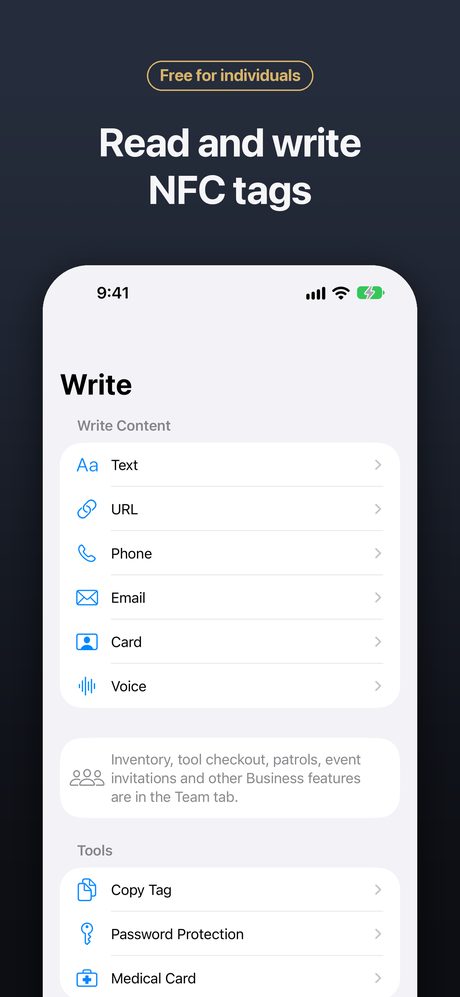
Write links and text
Write URLs, plain text, phone numbers and email addresses.
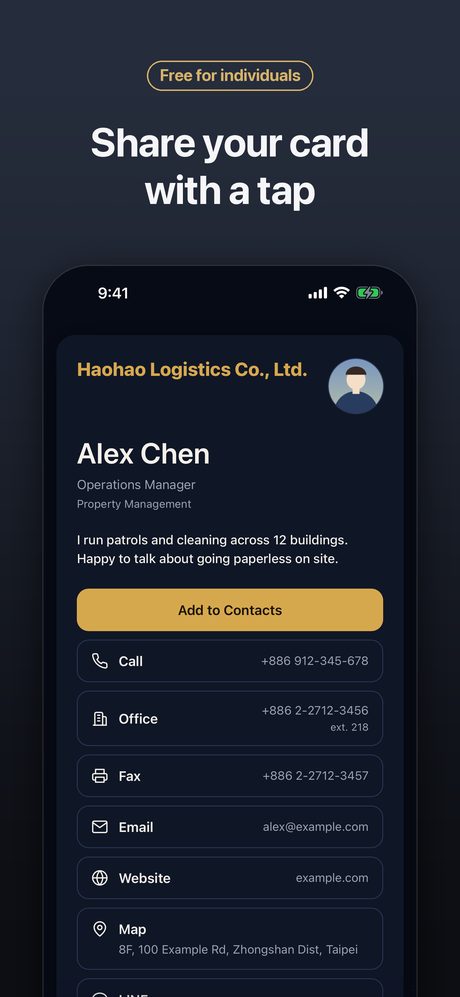
Digital business cards
Write your contact card to a tag; people tap it to see your details and save them.
Templates
Save templates for the tags you write often.
Clone tags
Copy a tag’s content to a new tag.
Lock and password-protect
Lock a tag permanently, or protect NTAG213/215/216 with a write password.
Medical card
Emergency information anyone can read by tapping with their phone.
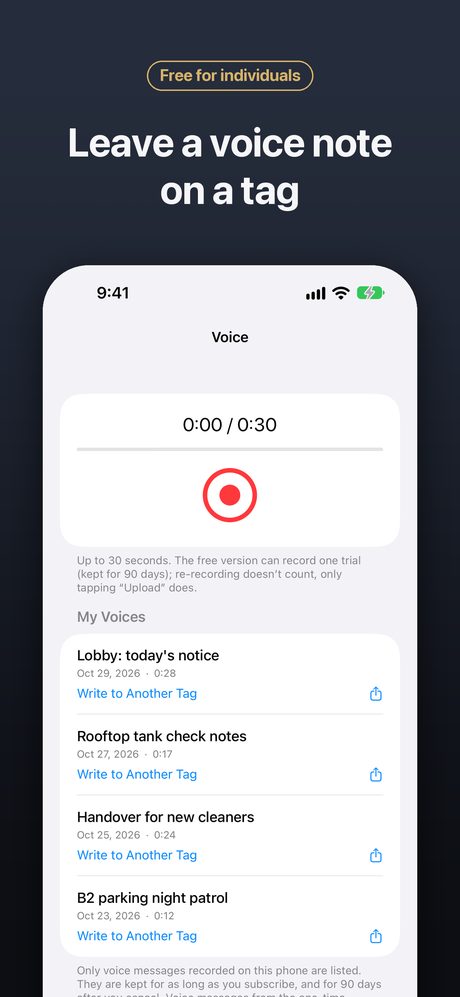
Voice notes on a tag
Record a short voice message and write it to a tag.
Tap-to-play and scene guides
Step-by-step guides for everyday uses such as tap-to-play music.
History on your phone
Every tag you read or write is kept in a history that stays on your iPhone.
Shortcuts & Siri
Say “Read a tag with NFC42”, or use NFC42 actions in Shortcuts.
See it in action
Frequently asked questions
Can I unlock a locked tag?
No. Locking is permanent by design of the NFC chip. The tag can still be read but no longer changed.
I forgot a tag’s password. Can it be recovered?
No. The password isn’t stored anywhere, including on your phone or with us. The tag can still be read, but its content can no longer be changed.
The tag isn’t detected. What should I try?
Hold the top edge of the iPhone against the tag and move it slowly, remove thick or metal cases, and keep the tag away from metal (use anti-metal tags on metal). If a write fails, the tag may be locked, password-protected, or too small for the content.
Can NFC42 read bank cards or transit cards?
No. Bank, transit and building access cards are protected by their issuers and cannot be read or written.